Categories
News

Using VoIP with a Commander Nitsuko DX phone system

Nitsuko Corporation created telephone systems for over 15 years and in Australia they were rebranded as Telecom Australia (Telstra’s) Commander™ N, AN, BN and D systems. Even when they started operating under their own name in Australia they were very popular. Nitsuko was bought by NEC in 2000 and later stopped producing this line of phone system, but because of their huge success in Australia spare parts and second hand phone systems are readily available.

Due to the age of these phones the simplest way to use business grade VoIP services with these phones is to connect a device like the Linksys PAP2 which enables 2 VoIP lines. A new device is available that will enable 4 VoIP outbound line and normal analog incoming lines called the SPA8800, but the price point of this device makes a brand new VoIP Telephone Systems using the SPA9000 a better alternative.

Request a quote for cheap business phone systemUpgrade your Commander business phone system to sophisticated VoIP Cisco and Yealink handsets and use the power of the CloudPBX. To find out more about how you can get more features for less money Request a Business Telephone System Quote today.

Categories
News Small Business VoIP FAQ's Voice Codecs Voice Quality

Voice Codecs for VoIP Business Telephone Systems

The Right Voice Codecs Need to be Configured

The upload speed of your broadband Internet connection is critical to ensure good quality VoIP conversations on a VoIP Business grade Telephone System. There are two main voice codecs used for voice conversations using VoIP; G.711 and G.729, with G.711 being the best quality (ideal for businesses with Tier 1 grade internet) but also taking up the most bandwidth requirements.

This diagram from the Cisco website shows the different VoIP codecs with packet information and bandwidth requirements.

voice codecs for voip phone systems

From the Cisco website

How Many Concurrent Call Conversations?

If you do a speed test of your Broadband Internet service you’ll see your upload speed and by using the table above you’ll be able to roughly gauge how many concurrent conversations you can have using a VoIP telephone system and your current Internet service.

When companies grow they’ll often have two broadband Internet services, once for data and one for voice and this ensures that the voice quality remains consistent regardless if your staff are transferring a lot of data or watching cat videos on Youtube!

Another very important aspect of your Internet services is to have it optimised so that voice traffic is given priority over data traffic. They call this Quality of Service or QoS.

VoIP Business Telephone System Handsets

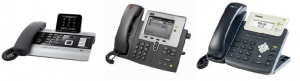
Small Business VoIP Telephone System HandsetsVoIP handsets enable your small business to take advantage of the functionality and flexibility of a hosted CloudPBX. These handsets can be located in remote offices like staff or contractors homes or even interstate or international offices.

Learn more about Business Telephone System Handsets

Business Telephone System Call Flow Scenarios

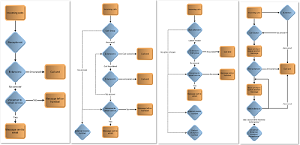
Business Telephone System Call Flow Configurations - smallestDo you want to see how most people handle the calls with their business telephone system? These call flow scenarios enable you to quickly choose from the most common choices and can help you get a good solution quickly.

Business Telephone System Scenarios

[button link=”http://virion.com.au/services/cloudpbx-hosted-pbx/” bg_color=”#0e6bf5″]CloudPBX Features[/button] [button link=”http://virion.com.au/servicesupport/request-a-quote/”]Request a Quote[/button]  [button link=”http://virion.com.au/order-cheap-phone-system-now/” bg_color=”#0cba06″]Sign Up Now[/button]

Categories
News

VoIP Business Telephone System

Say Goodbye to Telstra

We had a scenario just recently where a new client wanted to use our Business VoIP services. The system worked well for their purposes and they had a good Internet connection with good upload speed and it dawned on them that having a VoIP business telephone system also means that they no longer rely on Telstra for their phone call charges! It was a happy moment filled with goodbyes.

Now You Can Focus on Business Telephone System Functionality

It is important to realise that the telephone network in Australia is now more de-regulated than ever before and it means that you can deal with a company that provides more personal service and a telephone system that suits your specific business needs. Here are some considerations to having a VoIP phone system:

  • Do you already have a telephone system
  • Does your system allow voip connectivity
  • How you want the calls to be managed (local or remotely)
  • What type of handset do you want
  • Do you have remote locations
  • Do you have a good broadband connection (up speed more than down speed)

Use Your Existing Business Telephone System

The simplest solution (if you only have a few lines and want to use your existing normal telephone system handsets) is to purchase an ATA box and have it configured for your voip service. You can use this option with most telephone systems too and it allows you to choose to call out using voip (to save money) yet receive calls as you would normally.

New VoIP Business Telephone Handsets

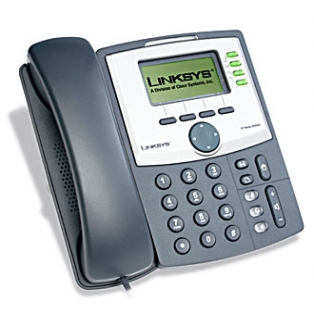
If you want to get a bit more modern, purchase the Linksys IP Phones that can be configured to use your preferred VoIP service. These phones can be access via your local network and each one can be connected to it’s own DID (Direct Indial Number) so no matter where it is connected, it is still part of your phone system. We even tried it out in Hong Kong, connected to a home internet connection in Discovery Bay and made calls, it was just like being back in Australia. These phones send their switching information out via your internet connection to your VoIP server – and On Net calls are FREE!

VoIP Business Telephone PBX Equipment

If you want to have more control over your voice traffic and configuration (transferring calls, call groups, music on hold etc) you can purchase an IP PBX like the Cisco SPA9000. This will ensure that voice packets are handled more locally than over the Internet. An IP PBX can be configured to handle incoming calls using your existing telephone services so you can use your new phones to take and transfer calls.

Can virion Help You?

VoIP Business Telephone System Handsets

Small Business VoIP Telephone System HandsetsVoIP handsets enable your small business to take advantage of the functionality and flexibility of a hosted CloudPBX. These handsets can be located in remote offices like staff or contractors homes or even interstate or international offices.

Learn more about Business Telephone System Handsets

Business Telephone System Call Flow Scenarios

Business Telephone System Call Flow Configurations - smallestDo you want to see how most people handle the calls with their business telephone system? These call flow scenarios enable you to quickly choose from the most common choices and can help you get a good solution quickly.

Business Telephone System Scenarios

[button link=”http://virion.com.au/services/cloudpbx-hosted-pbx/” bg_color=”#0e6bf5″]CloudPBX Features[/button] [button link=”http://virion.com.au/servicesupport/request-a-quote/”]Request a Quote[/button]  [button link=”http://virion.com.au/order-cheap-phone-system-now/” bg_color=”#0cba06″]Sign Up Now[/button]

Categories
News Small Business VoIP FAQ's

What is a Fair Use Policy?

Are you looking for unlimited?

Telephony, website hosting and other services that are a commodity in today’s business world are very competitive and very technical. There are aspects of these services you use but might not understand in the beginning but they make more sense as you get to know them.

Most people love to hear the word “unlimited” because it means they can get everything they want without worrying about the price they pay for it. On the face of it you might think to yourself, yep, I’d love to take advantage of that, but what you find is that most customers use the amount an ordinary person would use. Unlimited is really a way of saying use as much as you want and don’t ever worry about it.

If we really want to get technical we would ask ourselves “who is an ordinary person”? The definition of an ordinary person in Wikipedia is the man on the Clapham Omnibus (interest read) and this ordinary person is often better off just paying for what they use. Let’s see why.

So, you want unlimited do you?

  • Would you be happy to share that unlimited with your neighbours?
  • What would happen if you and your neighbours consumed “unlimited” amounts?
  • Would there be enough for everyone?
  • Would it be fast enough?
  • Would the quality be good enough?
  • Would the supplier end up putting limits on it?

It’s rare to see anything truly unlimited. There is a reason that most “unlimited” services have a Fair Use Policy.

Where can you find this Fair Use Policy?

If a company wants you to agree with a Fair Use Policy then they should have one, right? In my search for Fair Use Policies, searched for the Fair Use Policy of an Australian subsidiary of a large United States telephone company. Do you think I could find it? When I finally noticed the Fair Use Policy link, it took me to the Terms and Condition page. On this Terms and Condition page there was a link called Fair Use Policy, but it took me back to their Terms and Condition which stated that they had a Fair Use Policy and that it was subject to change from time to time. After a few weeks I conducted the same search to find a separate link for the Terms and Condition and the Fair Use Policy, but they both had the same writing on the page. It was the Terms and Conditions! I guess most answers are all in the details.

Most Fair Use Policies state a maximum amounts,be it storage size, number of minutes, number of calls, call duration etc. A good example is a large US based Website hosting company our organisation uses. They offer 750GB of storage space with each website! Fantastic! I logged into the administration area and created an email accounts 4GB of storage so I would never run out, but guess what happened? One of our users, who doesn’t download all his emails onto his own computer, built up 600MB of emails in his email account. As a result the website hosting company de-activated his account and sent him and me an email to say there had been a violation of their Terms of Service (TOS). After digging through this TOS agreement (which you agree to when you sign up), there it was… a limitation of 400MB per email account.

How fair is your Fair Use Policy?

These days most Terms and Conditions can change “from time to time” and they often do. It made us ask these questions:

  • “Can you rely on unlimited if it is defined by a Fair Use Policy that can change from “time to time”?
  • Is this policy designed to capture customers while giving the company the option to change the game when and as they choose?
  • Do you want to use a service that could be diminished by heavy users?
  • If you promote an “Unlimited” service, but specify limits in your Fair Use Policy, can you really call it unlimited?
  • If you promote a Fair Use Policy that does not specify usage, do you really have a Fair Use Policy?

I hope this article has helped you understand a little more about Fair Use Policies. If you are like me, you may prefer to get good calling rates and pay only for what you use, which may be less than unlimited.
Categories
News

Faster account activation and better support

As a business that promotes the latest business grade voip technology we at virion also like to push the boundaries in support and productivity. You can now order a 30 day trial account which will provide you with between 2-4 digital voip lines (including 2 telephone numbers) and it will be activated for you within 1 business day. The total cost includes the 1 month line rental and $50 worth of calls. Please visit our Instant Trial Application page by clicking here.

Once you have your new business grade voip services you may need some help in getting it configured so we work with the excellent and innovative ZenDesk support service from the US and implemented their Support DropBox features so that you can access support from any page on our website. You could always visit the support section of our website at support.virion.com.au.

Categories
News

How can I use VoIP with my existing Telephone PBX System (Panasonic)

Existing Tradition Panasonic Business Telephone System

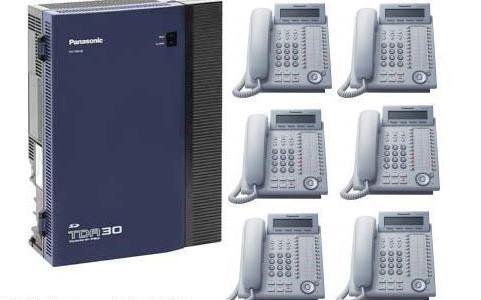
Panasonic KX-TDA30AL-business-telephone-systems-handsets-voipMost modern telephone PBX systems have the capability to connect to Voice over Internet Protocol (VoIP) so that you can save a lot of money making outbound telephone calls. We had an example of a typical request for VoIP functionality from a traditional telephone pbx system today and because it is an example of a common need and request we’ve written this blog post to help you understand what to do.
Use Your Existing Panasonic Hardware

This company has a Panasonic KX-TDA30AL telephone system (http://www.panasonic.com.au/products/details.cfm?objectID=2180) and are paying too much for their telephony calls and line rental so they want to go VoIP. They own their telephone system so they don’t want to go out and purchase another one if they don’t need to, but they want to find a way of using it with a new VoIP service like the one we provide here at virion. When you look at the Panasonic web page for this particular system it says “Using a VoIP gateway, the system converts telephone voice signals into IP packets”, and they say on the web page that you should speak to your Panasonic dealer about pricing for IP Gateways. This is an important piece of information because a VoIP gateway does not normally come with most telephone systems, instead, the functionality is made available with the purchase of an additional piece of hardware and the cost of this hardware can be significant ($600 to $1500) depending on the brand and model of your telephone system.

The IP Gateway for this particular telephone system (the KX-TDA3450X) costs approximately $900 (by averaging the quotes we received from 3 different dealers) and this might seem expensive but the good news is that it takes a relatively short time for a technician to configure it for the virion business voip service (30 – 60 minutes).

The next aspect of this project is to consider that when you use VoIP you are using a broadband internet connection to send and receive voice data and you have the choice of can either use your existing broadband internet service or organise to have a new broadband service setup that is dedicated to voice traffic. If you are a relatively small business with up to 6 concurrent calls you can get away with an existing broadband internet connection (provided it is business grade – no drop outs – and is setup to prioritise voice data. If you expect you will have more than 6 concurrent calls it is prudent to get a dedicated Voice ADSL connection (they call this a tail or a pipe).

The final aspect of your implementing VoIP at your business is your modem and your network. You must ensure that you have a good quality modem that prioritises voice traffic and you will need to ensure that your IT consultant is involved in the implementation to ensure that the installation goes smoothly. There are many different brands depending on your budget, Draytek modems are very well regarded and one of Australia’s top bloggers has written a comparison article to find the best performs for small business (click here to read it)

Rather Get a New VoIP Business Telephone System for $1 per month?

VoIP Business Telephone System Handsets

Small Business VoIP Telephone System HandsetsVoIP handsets enable your small business to take advantage of the functionality and flexibility of a hosted CloudPBX. These handsets can be located in remote offices like staff or contractors homes or even interstate or international offices.

Learn more about Business Telephone System Handsets

Business Telephone System Call Flow Scenarios

Business Telephone System Call Flow Configurations - smallestDo you want to see how most people handle the calls with their business telephone system? These call flow scenarios enable you to quickly choose from the most common choices and can help you get a good solution quickly.


Business Telephone System Scenarios

[button link=”http://virion.com.au/services/cloudpbx-hosted-pbx/” bg_color=”#0e6bf5″]CloudPBX Features[/button] [button link=”http://virion.com.au/servicesupport/request-a-quote/”]Request a Quote[/button]  [button link=”http://virion.com.au/order-cheap-phone-system-now/” bg_color=”#0cba06″]Sign Up Now[/button]

Categories
News Small Business VoIP FAQ's

What is the best VoIP modem router

Neerav Bhatt is one of Australia’s most successful bloggers and he has been involved with computers for many years, including the new area of social media. Neerav write a regular blog on technology and other interesting and varied topics and we came across this blog about the best modem/router to use for VoIP: http://bit.ly/a85zKS

You may hear some people say that the quality of VoIP is poor. It is good to realise that the important issues really surround the quality of your broadband internet plan, quality of your modem and the Quality of Service (QoS) settings on your modem and network.

Click Here to sign up for a 30 day trial account with two telephone lines and see just how well it can work.

Categories
News

Call divert is called Call Forward on the Linksys SPA942 ip Phones

If you are a small business you might want to divert your incoming calls to a mobile or home number when you are temporarily away from your office or at the end of each working day. If you search the internet for answers you’ll need to know that the term that they use is Call Forward, and there are several different options available to you, including:

  • Call Forward Busy Number,
  • Call Forward No Answer, and
  • Call Forward No Answer Delay

The instructions on how to use your Linksys (Cisco) SPA942 and SPA962 phones are on page 45-47 in the User Guide for the phones. This user guide also show how to make Call Forward configuration changes using the Web Administration area. Here’s a link to the User Guide at our Support website: http://support.virion.com.au/entries/209390-user-guide-for-linksys-spa942

Categories
virion business voip phone systems

Believe in the future

Every part of our world evolves because we want to be better. The Internet and new VoIP technology gives your business access to new features and flexibility like voicemail to email, the ability to take your phone number with you (anywhere), the ability to direct calls where they need to go and so much more. The list of features grows every year and we want to give you access to these fantastic features when they become available, but if you just want to take advantage of discounted VoIP call costs we are happy to provide.

Categories
News

$100 device allows your existing phone system to access cheap VoIP rates

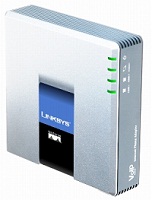
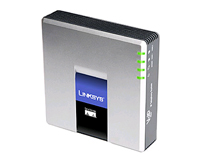
Do you already own a small business telephone system but really want to save money on call costs? Cisco, the internet pioneering company have a low cost device which can fit between your phone lines and your broadband internet router and allow you to connect to a VoIP provider like virion to make cheap outgoing calls.

The device is the PAP2 (http://virion.com.au/2010/04/cisco-linksys-pap2t-internet-phone-adapter-with-2-voip-ports/) and it will allow you to extend your phone systems functionality (extra virtual phone numbers) and give you access to cheaper VoIP call rates: http://virion.com.au/2010/03/low-voip-calling-rates/

If your business is located between Manly, Mona Vale, Brookvale, Dee Why to Chatswood and North Sydney areas one of our team members will gladly come out and show it to you. Call us on (02) 9971 8000 to organise an appointment.

Categories
Gateways & ATAs

Cisco Linksys PAP2T with 2 VoIP Ports

Features of the Popular Cisco ATA Adapter the PAP2

  • Cisco Linksys PAP2TEnables high-quality feature-rich voice over IP (VoIP) service through your broadband Internet connection
  • Dual standard telephone ports for use with analog phones or fax machines, with independent phone numbers
  • High-quality, clear-sounding voice, using advanced voice quality of service (QoS) capability
  • Compatible with all common telephone features, such as caller ID, call waiting, and voicemail

Feature-Rich VoIP Through Your High-Speed Internet Connection

PAP2 Product Overview

With Internet telephony, along with low domestic and international phone rates, impressive arrays of special telephone features are available. Choose your preferred local dialing number, regardless of where you live. Or add a virtual telephone number to have forwarded to your Internet phone. You can even add a toll-free number. The Cisco PAP2T Internet Phone Adapter is compatible with these and all of the other special telephone features that are available from your Internet telephone service provider, such as caller ID, call waiting, voicemail, call forwarding, distinctive ring, and much more.

Quoted from Cisco website, Click this link for more information: http://www.cisco.com/en/US/prod/collateral/voicesw/ps6790/gatecont/ps10024/ps10029/data_sheet_c78-502441.html

Replace your Analog Business Phone System with a brand new one

Request a quote for cheap business phone systemUpgrade your Commander business phone system to sophisticated VoIP Cisco and Yealink handsets and use the power of the CloudPBX. To find out more about how you can get more features for less money Request a Business Telephone System Quote today.
Categories
IP PBX equipment VOIP Equipment

Linksys SPA9000 Telephone PBX

Setting up the internal telephone system for a small business was once strictly the domain of the phone company. Now, you can not only do it with a cost-conscious voice over IP (VoIP) connection, but it’s also so simple just about anyone can set up a fully working system in minutes.

Part of Cisco Small Business Voice Systems, the SPA9000 Voice System combines all the features of a traditional phone system—automated attendant functions, three-way conferencing, intercom, hold music, call forwarding, and more—with low-cost long-distance service and a single network for both voice and data.

Additional features of the Cisco SPA9000 Voice System include:

  • High-end features comparable to voice services traditionally found in large businesses
  • Support for 16 Cisco IP phones
  • Multiple levels of password-protected access
  • The ability for an Internet telephone service provider to remotely update software and settings
  • Support for advanced features like shared line appearances, hunt groups, call transfer, call parking, and group paging

More information: http://www.cisco.com/en/US/products/ps10031/index.html

This device is a low priced but powerful alternative PBX system for business grade VoIP services. You will need to have or purchase some IP handsets to use with your SPA9000 and we recommend the Linksys (Cisco) SPA942 handsets or if you want a larger phone to handle up to 6 lines get the Linksys SPA962.

If you have more than 6 lines and want your receptionist to know when staff members are busy or available and have the ability to transfer calls quickly then include the Linksys (Cisco) SPA932 in your order.

Get started by purchasing an SPA9000, book a technician and Instant Trial Application with virion.

Categories
IP Handsets VOIP Equipment

Linksys SPA962

These phones have bee discontinued by Cisco and we recommend the Cisco SPA500 series phones as the most ideal replacement.

The huge, high-resolution, full-color liquid crystal display on this six-line telephone offers top- of-the-line IP telephony performance. Part of Cisco Small Business IP Phone Series, the SPA962 allows business users to configure each of its lines for unique phone numbers or extensions, or assign them a shared number to be used by multiple phones.

The Power over Ethernet feature enables the SPA962 to power up without need of an additional electrical source. Based on the SIP standard, this phone is designed to handle the feature-rich services that providers continually roll out to their customers.

Additional features of the Cisco SPA962 IP Phone include:

  • Dual-switched Ethernet ports, speakerphone, caller ID, call hold and conferencing
  • Speakerphone and 2.5 mm headset port
  • Power over Ethernet 802.3af, allowing for single-source electricity without an additional power supply
  • The ability to connect directly to an Internet telephone service provider, an IP PBX, or a large-scale IP Centrex deployment
  • Easy station moves, presence, and shared line appearances across local and geographically dispersed locations

For more information see the Cisco link: http://www.cisco.com/en/US/products/ps10040/index.html

Up to 6 virtual numbers can be configured on the device so it can perform confidently as a receptionist phone, however if you have more than 6 lines and want the functionality of seeing who is currently on the phone and have the ability to transfer calls quickly you can easily add on the Linksys SPA932 Reception Console and upgrade your service to an IP PBX using the SPA9000.

To get started on your small business VoIP phone system solution today, visit our Instant Online Application.

Categories
News Small Business VoIP FAQ's

Your old Telstra number

Using your Telstra number is easy. We simply setup a call diversion immediate on your Telstra phone number to your main virion indial number. This means that everyone who calls your normal number will be answered on your new Voice over IP phones. There is a cost for the diversion for each incoming call, but this only temporary before we transfer your Telstra number to virion and you start paying half price for it.
Transferring a number to virion is called “Porting” and its a process that can take 3-4 weeks to complete, but once its complete you will no longer be paying high monthly rates through Telstra for your phone service.
Categories
virion business voip phone systems VoIP Call Rates

Low VoIP calling rates

virion uses the highest business grade vodecs and whitelist international carriers to ensure that along with cheap call rates, your business has the highest voice quality. These rates are approximately half of Telstra’s normal retail call rates which represent a huge saving. Prices do not include GST and are available on the Stratus Call Plan with Direct Debit authority.
Calls to local numbers 10c untimed
Calls to national landlines 10c untimed
Calls from extension to extension FREE
Calls to Australian mobile numbers 18c per minute billed by the second and no flag-fall
Popular International Destinations
Charged by the minute
China 3.9c
Singapore 2.9c
UK 2.9c
USA 2.9c
New Zealand 2.9c
Hong Kong 2.9c
Taiwan 2.9c
Canada 2.1c

virion International_calling_rates full list

Your Internet connection, network configuration and equipment influences call quality.

Categories
virion business voip phone systems

telephone PBX setup

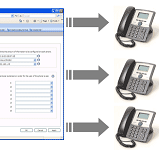
There are some fundamental questions that need to be answered whenever a new Business Telephone System PBX is setup. This includes information like which phone rings first when a caller dials your main number and whether you’d like one main voicemail message for all extensions or different messages for different extensions.
Other things to consider are:
  • If the reception phone doesn’t answer the call in time, where should it be routed to.
  • Would you like more than one phone to ring when the main line is called.
  • Which DID (phone number) would you like to allocate to each person.
  • Would you like to have abbreviated dialling so it’s easy to transfer calls from extension to extension.

You CloudPBX is configured and then your VoIP handsets are configured to work with the business grade VoIP service.

Sign up for your Instant Business VoIP Trial

Request a Quote